Introducing Aqualytics Insights
Boost your service reports with customizable AI analysis
AI is really good at crunching numbers. Want a review of your test results? Aqualytics Insights provides built-in AI review while you prepare reports.
Quick links:
- Getting Started with Aqualytics Insights
- Configuring AI providers
- Pricing
- Disabling Aqualytics Insights
(p.s. Don’t have historical service data in Aqualytics yet? Check out our PDF importer or get in touch to start a free custom import.)
Getting Started
Aqualytics Insights is available when you’re preparing a new service report. After entering test results, you can draft comments with Insights:
After it proposes some drafts, you can accept or dismiss them, then edit them just like normal comments.
When drafting comments, you can provide some extra context to Aqualytics Insights:
- Tone and Length tells Insights what kind of comment you’re looking for. Comment templates are also used for this purpose.
- Notes are extra details about this visit. If there are factors beyond the test results that you want to share, put them here.
- Facts are background information about this account. Anything you want the AI to know about the account, in general, can go there.
- Past reports: Aqualytics shares information from past reports, too (up to 1 year of data). This allows the AI to find trends over time.
AI Providers
There are two approaches to powering Aqualytics Insights:
-
Aqualytics-provided (default): Aqualytics uses its own AI connection to power Insights. In this mode, we tune settings and choose AI services on our end. It’s ready to go instantly and your current subscription includes a free allowance (see Pricing).
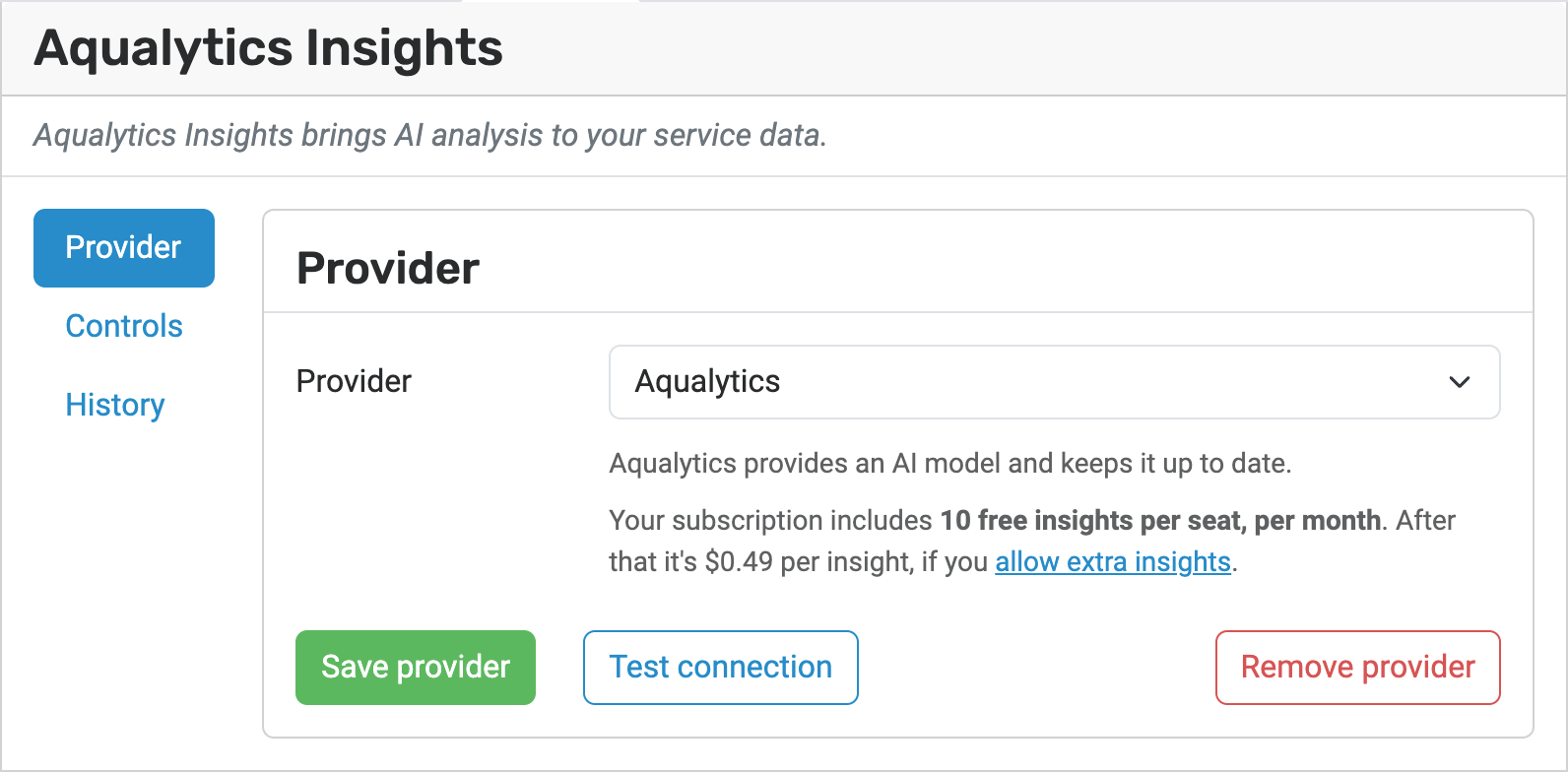
(Currently, Aqualytics Insights uses Anthropic.)
-
Bring-your-own: If you prefer, Aqualytics can use an AI system of your choosing. (If your business has special requirements about data handling, this is for you.) Insights currently supports Anthropic (Claude), OpenAI (ChatGPT), and any other OpenAI-compatible system.
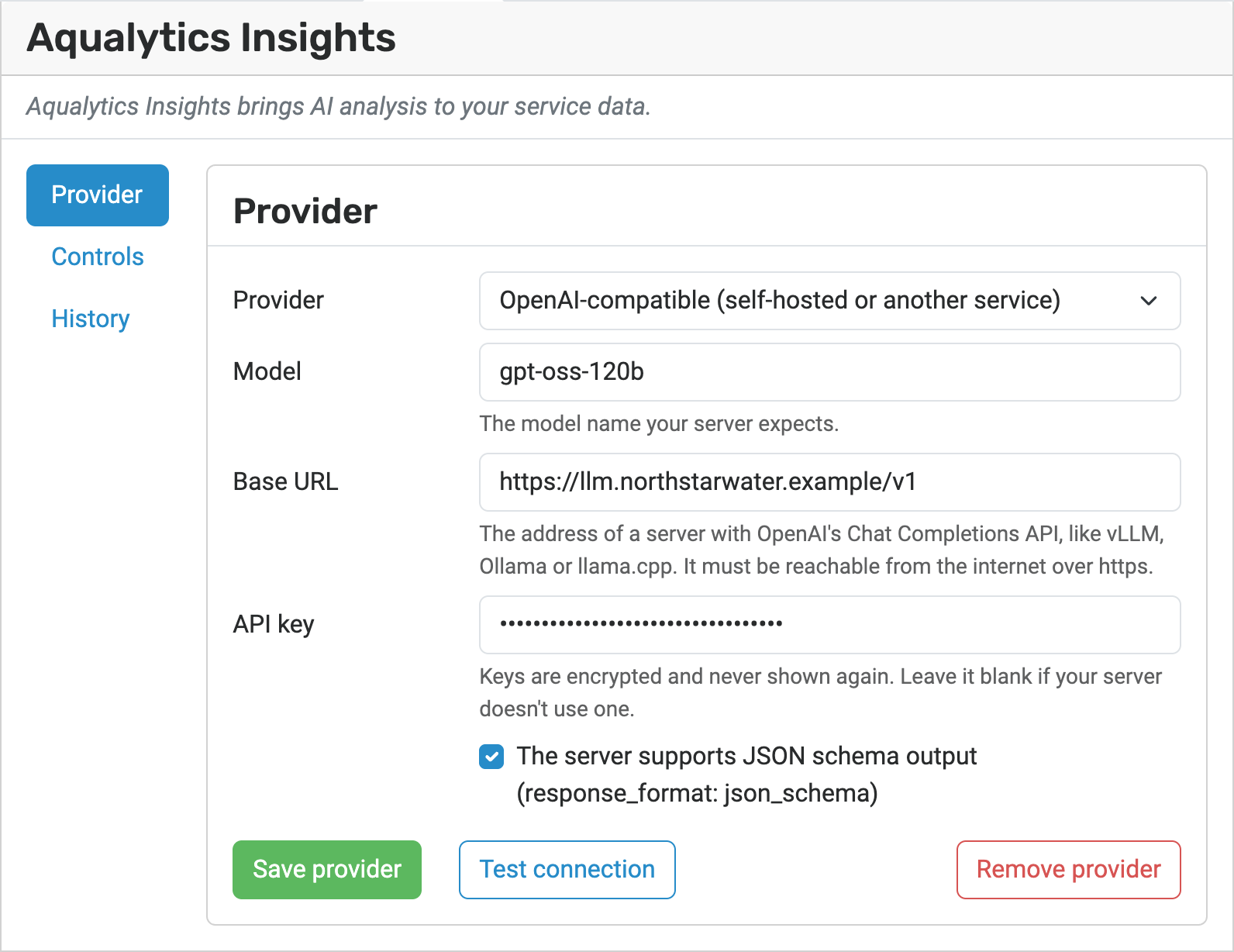
When using your own AI system, Aqualytics Insights is free. (see Pricing).
These options are available in the Insights settings.
Pricing
-
Aqualytics-provided (default): 10 free Insights per seat, $0.49/Insight after that.
-
Bring-your-own: No extra charge
Cost Controls
Each approach has its own technique for managing cost. With Aqualytics-provided, you can choose whether to cap usage at the free allowance or to allow extra usage on the Insights Controls page:
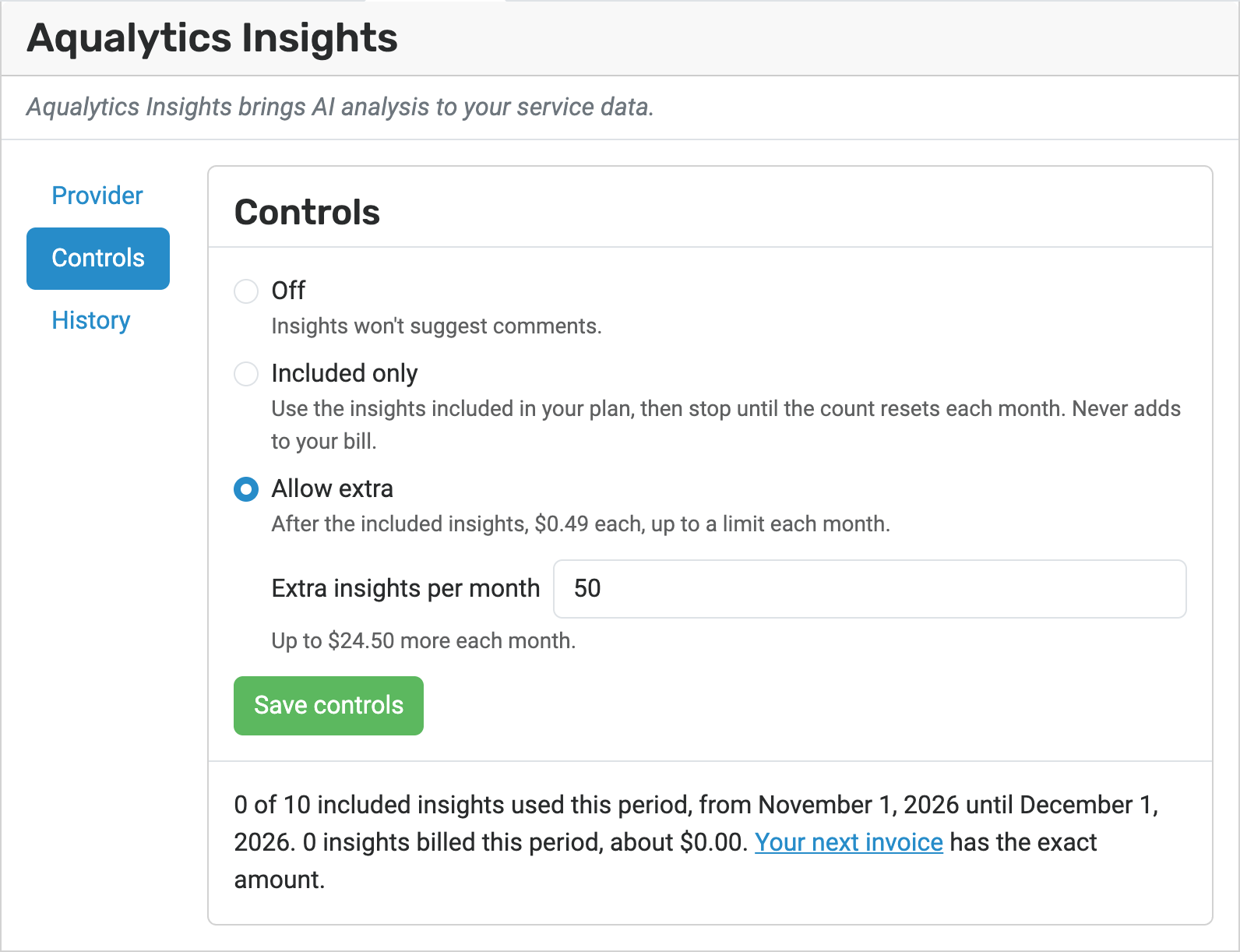
With bring-your-own, you should use your AI provider’s own tools for applying spending limits to API keys.
Disabling Aqualytics Insights
Aqualytics Insights doesn’t send your data to an AI provider until you ask it to. If you don’t want your company to use Insights at all, you can disable it entirely in your company settings:
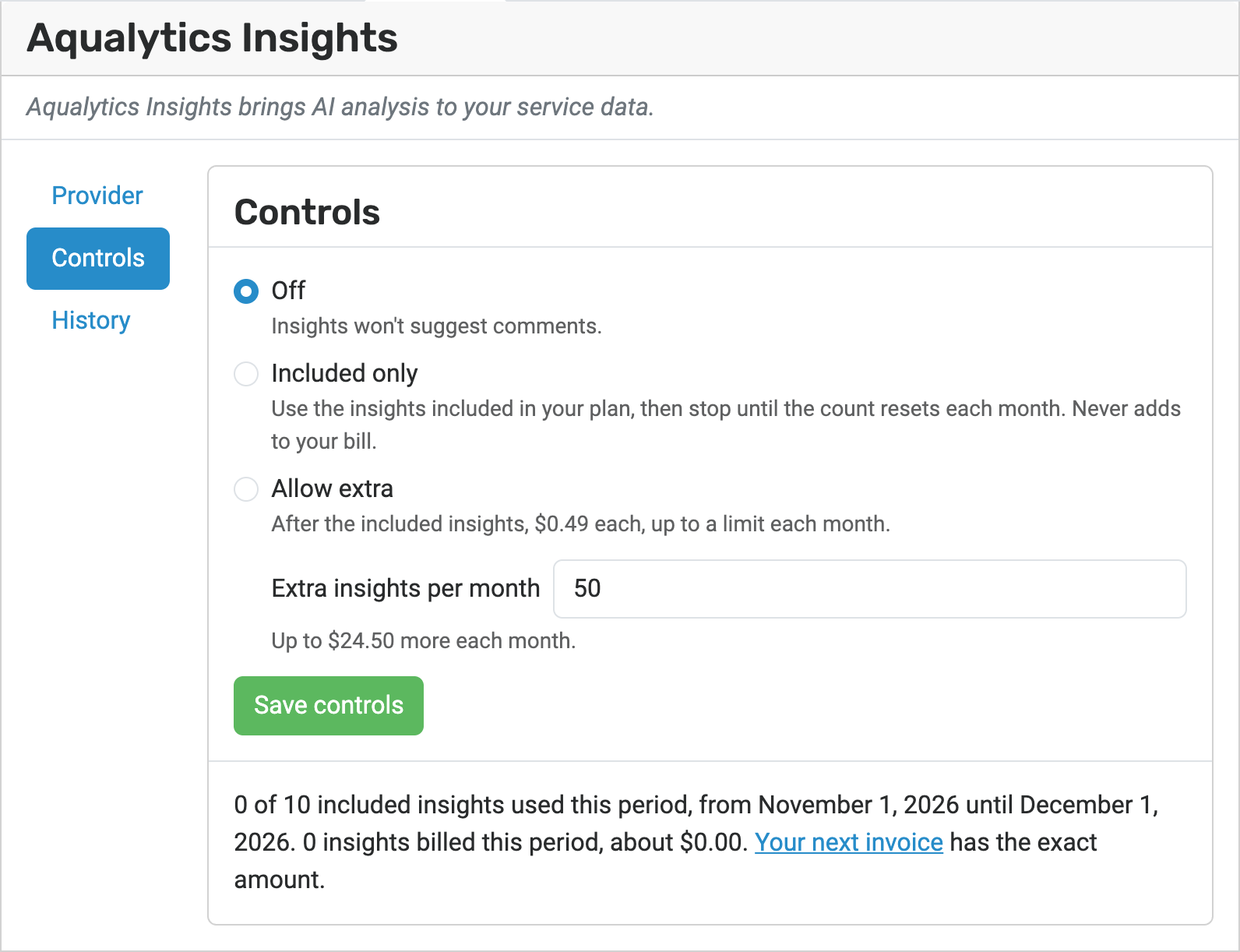
When set to “Off”, all Aqualytics Insights features are completely disabled.
Give it a Shot!
Do you think AI will pick up patterns in your service data that you haven’t spotted yet? Give it a try and see if you can get your customers’ water systems running better than ever.
Ready for better service reports?
Get started with the best software for water treatment service reports.
Start a 30-day free trialPrefer to talk first? Schedule a call