More Insights: Report Emails and Trends
Aqualytics Insights can now draft your report emails and suggest trend charts
When we introduced Aqualytics Insights, it could draft comments for your reports. Now the Insights button shows up in two more places:
- Report emails: Draft a short summary based on the report. Edit it before sending.
- Report trends: Check the account’s history and suggest any charts showing interesting trends.
Like comment drafts, Aqualytics Insights makes a suggestion for your review. If you keep it, you can edit it just like any other part of the report.
Draft Report Emails
Ready to do better than, “Hi there, your report is attached”? Make your communications more useful by filling out the body of the delivery email.
On the Send page, click Insights next to the subject line. Add a quick note about anything unusual, then click Draft message:
Click Insert into message and the draft goes right after your greeting (or wherever you clicked in the message). Then edit it like anything else you’d type there:
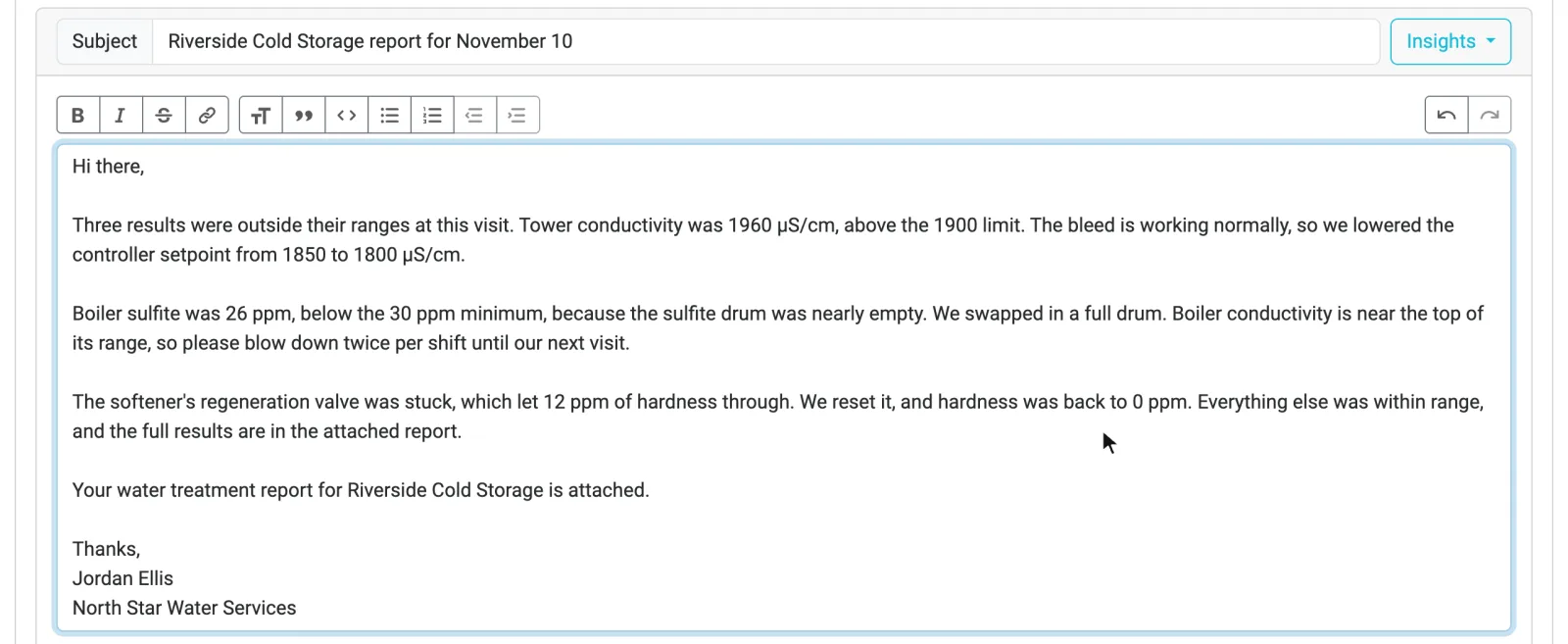
Not quite right? Dismiss it and draft another. If you change your mind after inserting it, undo takes it right back out.
Insights writes the email from:
- Results and comments: What was out of range or near the edge, and what your comments say about it. It won’t contradict your comments or invent new findings.
- Your note: “The sulfite drum was empty” helps explain a low result. The note isn’t added to the email or the report.
- Your past emails: Insights reads the last few messages you sent this account, so the draft sounds like you.
It skips the greeting and sign-off (your default message already has those), and it won’t recommend changing chemical feed or promise a follow-up visit unless your comments do. If the report has no comments yet, Insights keeps it simple and only says which results were in range.
Suggest Trends
Aqualytics Insights can provide a fresh set of eyes on your past test results. Prompt it to check for other trends in the account’s history.
In the Trends section of the report editor, click Insights, then Suggest trends. Insights reads up to three years of the account’s results and suggests the few charts that tell the story best:
Each suggestion is charted just as it will look on the report, with a brief, internal note about why it’s worth including.
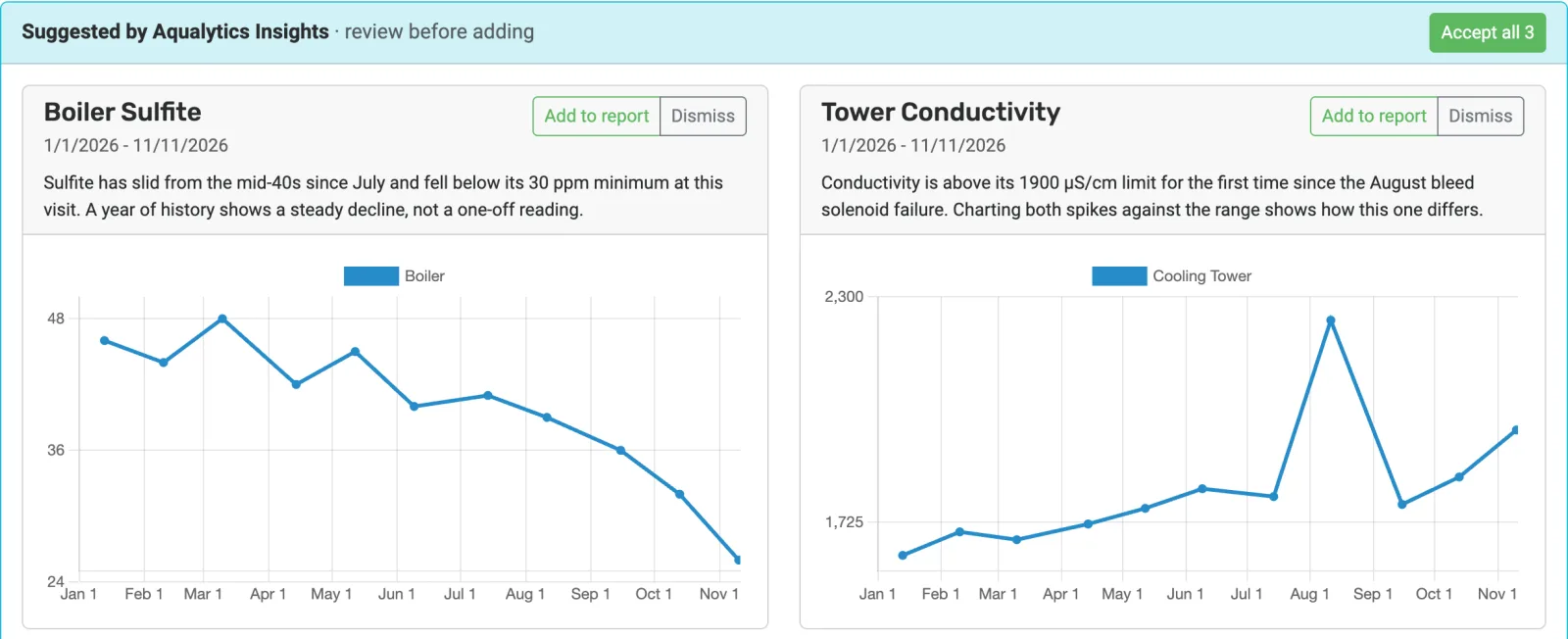
Click Add to report for the ones you like (or Accept all), and Dismiss the rest. Added trends are regular trends, so you can rename them, change the date range, or add more tests afterward.
Pricing
Email drafts and trend suggestions each count as one Insight per report, just like comment drafts. Drafting again for the same report doesn’t count twice. See Insights pricing for the free allowance and cost controls.
Give it a Try
Next time you finish a report, let Insights pick the charts and take the first pass at the email. Your customers get the short version, and you get a few minutes back.
Ready for better service reports?
Get started with the best software for water treatment service reports.
Start a 30-day free trialPrefer to talk first? Schedule a call