Warning Ranges
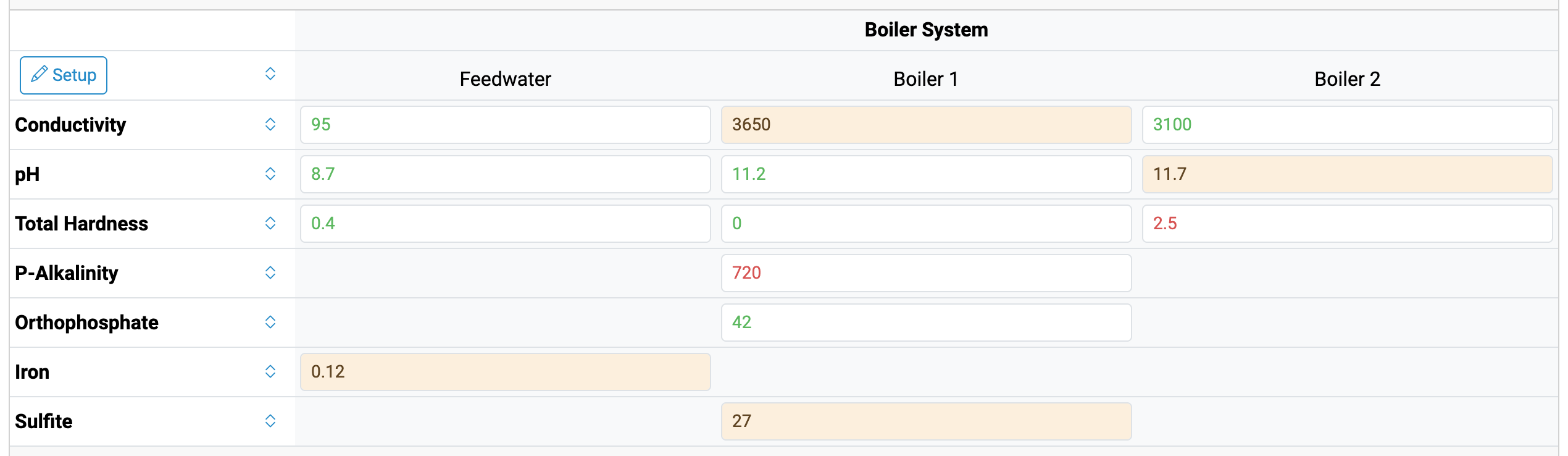
Not every out-of-range result is an emergency. A boiler running a little high on conductivity deserves a mention, but it’s not the same as one that’s way out of control. Now you can add a warning margin to any control range, and Aqualytics will show those “keep an eye on it” results in yellow.
How it Works
Each result is compared to its control range and warning margin:
- Green: inside the control range
- Yellow: outside the control range, but by no more than the warning margin
- Red: outside the control range by more than the warning margin
For example, with a control range of 2500 - 3500 and a warning margin of 250, a reading of 3650 is yellow, and anything over 3750 is red.
Adding a Warning Margin
When preparing a report, click the arrow beside a test to show its control ranges (or use the arrow at the top of the table to show them all). Next to the control range’s minimum and maximum, there’s a new field for the warning margin:
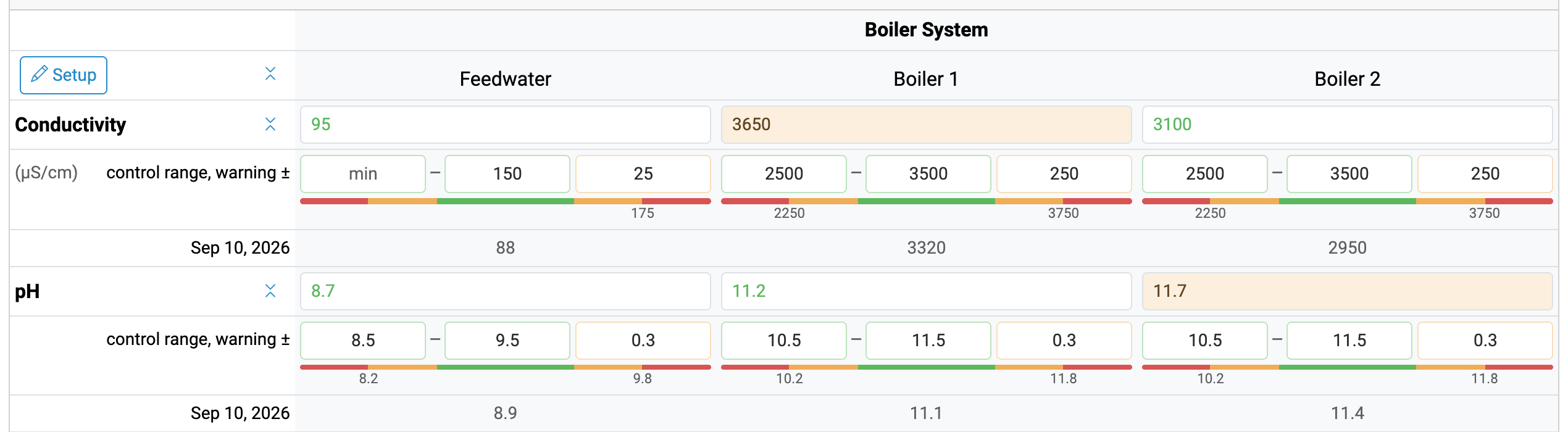
Enter how far outside the control range a result can be before it turns red. The bar below the inputs shows the green, yellow, and red zones, along with the values where yellow turns to red, so you can double-check your setup at a glance.
The margin applies to whichever sides of the range you’ve filled in. If a test only has a maximum (like hardness or iron), then the yellow zone only appears above it.
Like control ranges, warning margins are saved as you type and carried forward to the account’s next report, so you only have to set them up once.
On the Finished Report
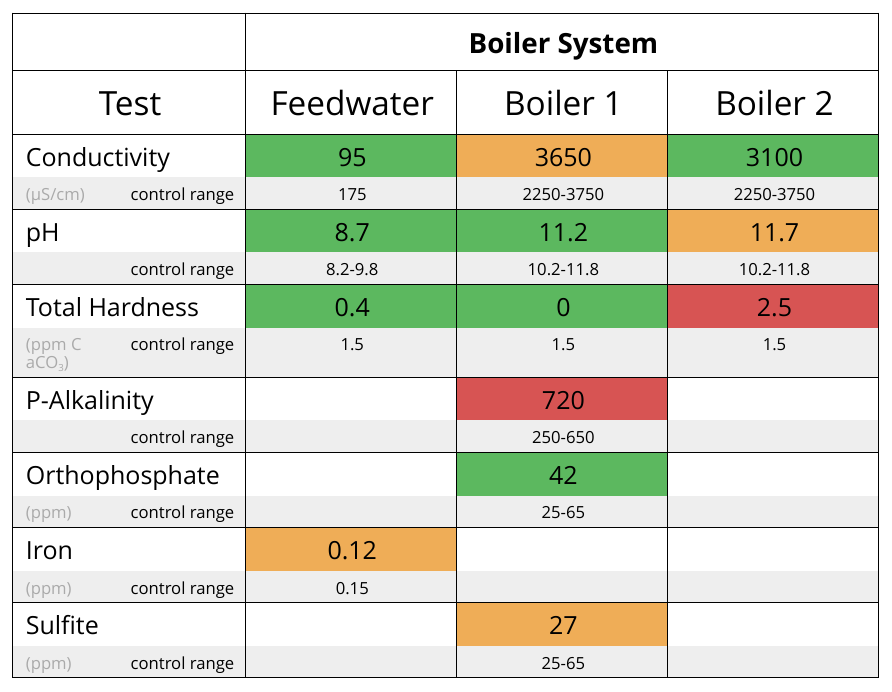
Your customers see the same colors in the report PDF:
Give it a Try
Warning margins are optional: if you leave them blank, your reports will stay green and red, just like before. Next time you’re preparing a report, try adding a margin to a test that tends to drift, and let us know what you think!

Ready for better service reports?
Get started with the best software for water treatment service reports.